

Your CapSource Project Experience
Real Projects. Real Partners. Real Career Value.
Your CapSource project gives you the opportunity to work on a real challenge from a real organization, build evidence of your skills, collaborate with a professional partner, and create an experience you can carry into your resume, interviews, LinkedIn profile, and future career conversations.
The platform is not the assignment. The project is the assignment. CapSource helps make the project possible, organized, professional, and valuable beyond the semester.
Project Home Base
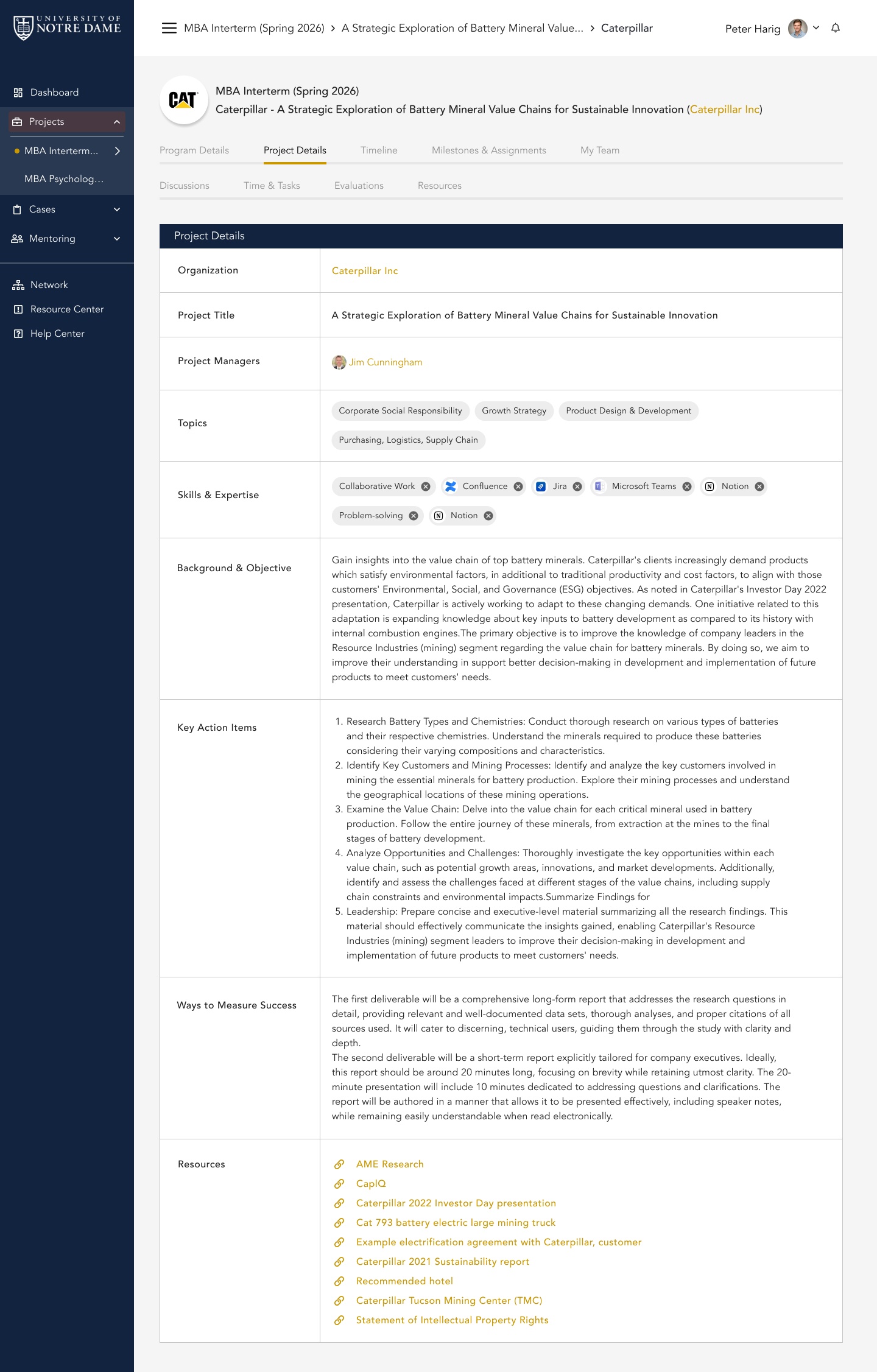
One organized place for your project
Access your project details, timeline, partner information, resources, deliverables, check-ins, and team updates.
Start Here
Three Things to Do First
Before you dive into the full project, use this quick path to understand what CapSource is helping you organize and what your team should do next.
Log in to CapSource
Find your project, team, partner, timeline, resources, deliverables, and next steps.
Go to platform 2 2Read your full project description
Understand the partner, challenge, goals, deliverables, expectations, and kickoff details.
Review project tools 3 3Use the platform throughout the project
Track milestones, submit deliverables, complete check-ins, and capture your work for your resume.
See checklistWhy It Matters
This Is Not Just Another Class Assignment
Most courses help you learn concepts. This project helps you apply them with a real organization, real goals, real deadlines, and real expectations.
Apply What You Are Learning
Use course concepts in a real environment where problems are messy, timelines matter, and stakeholders have expectations.
Build Professional Evidence
Create deliverables, reflections, project summaries, and outcomes that help demonstrate what you can actually do.
Grow Your Network
Work with faculty, teammates, and industry partners who can see your effort, professionalism, and capability firsthand.
Beyond the Textbook
Why This Can Be More Valuable Than a Textbook
A textbook can teach you frameworks. A real project helps you practice judgment.
Behind the Scenes
Real-World Projects Take Real Coordination
High-quality project experiences do not happen automatically. CapSource helps your school and instructor source partners, shape project scopes, organize expectations, support communication, collect feedback, and keep the experience moving.
That coordination is what helps turn a course assignment into a structured, professional, career-connected experience.
Find Partners
Identify organizations with meaningful project opportunities.
Design Projects
Turn partner needs into clear, course-aligned scopes.
Launch Teams
Give students, faculty, and partners shared expectations.
Track Progress
Support milestones, check-ins, submissions, and feedback.
Collect Outcomes
Capture deliverables, learning evidence, and partner feedback.
Showcase Value
Help students turn the experience into career momentum.
Strong Project Design
Strong Projects Start With Strong Design
The best projects are not random assignments. They are designed around the course, the partner’s goals, and the skills students are expected to practice.
A Real Partner
An organization with an actual challenge, context, data, goals, and stakeholders.
A Clear Challenge
A project scope specific enough to guide your work, but open enough for your team to think critically.
Relevant Learning Objectives
A connection to what your course is designed to teach and what your instructor wants you to practice.
Useful Deliverables
Outputs that help the partner and give your team something meaningful to reference later.
Professional Engagement
Opportunities to communicate, ask questions, receive feedback, and build credibility.
Your Project Home Base
How CapSource Supports the Experience
CapSource gives your team one organized place to understand the project, access resources, manage the timeline, submit deliverables, complete check-ins, and keep track of what matters. Here is what it looks like inside. Click any screenshot to view it full size.
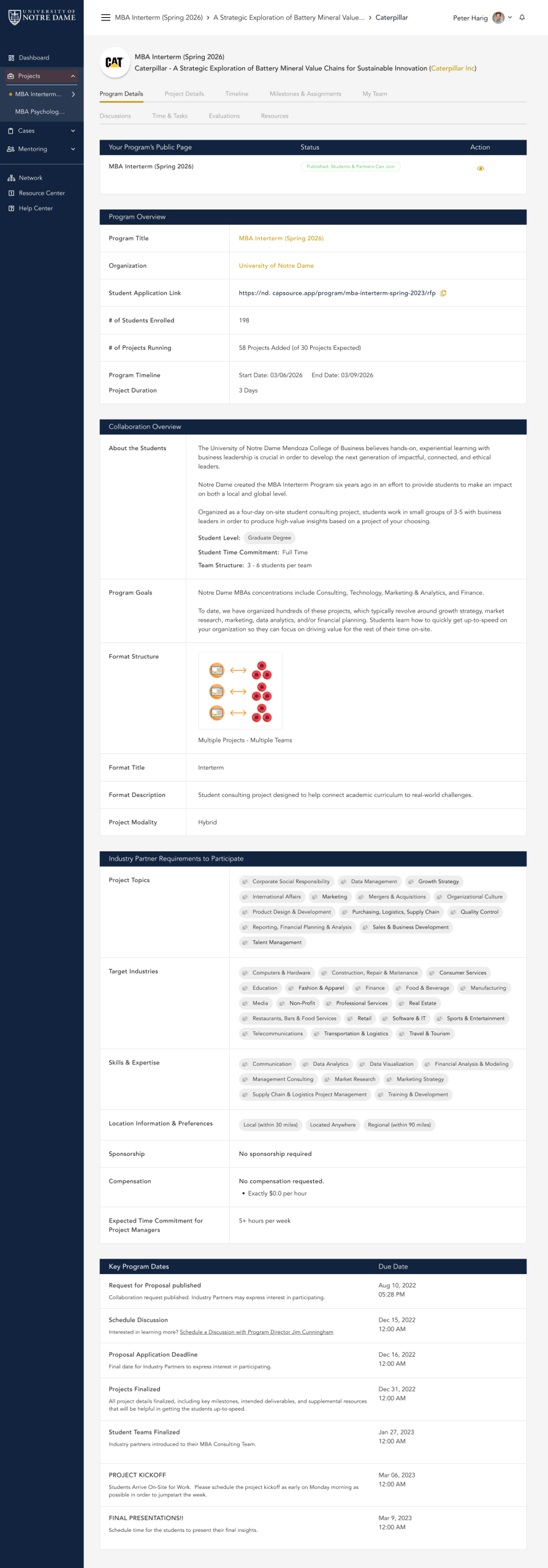
Understand Your Project and Partner
See your assigned project, partner organization, goals, scope, expectations, and important context. Everything your team needs to understand before kickoff lives in one place.
Dive Into Your Specific Project
Beyond the program overview, open the project your team is actually responsible for. See the exact challenge, scope, format, deliverables, and partner details that define the work you will do.
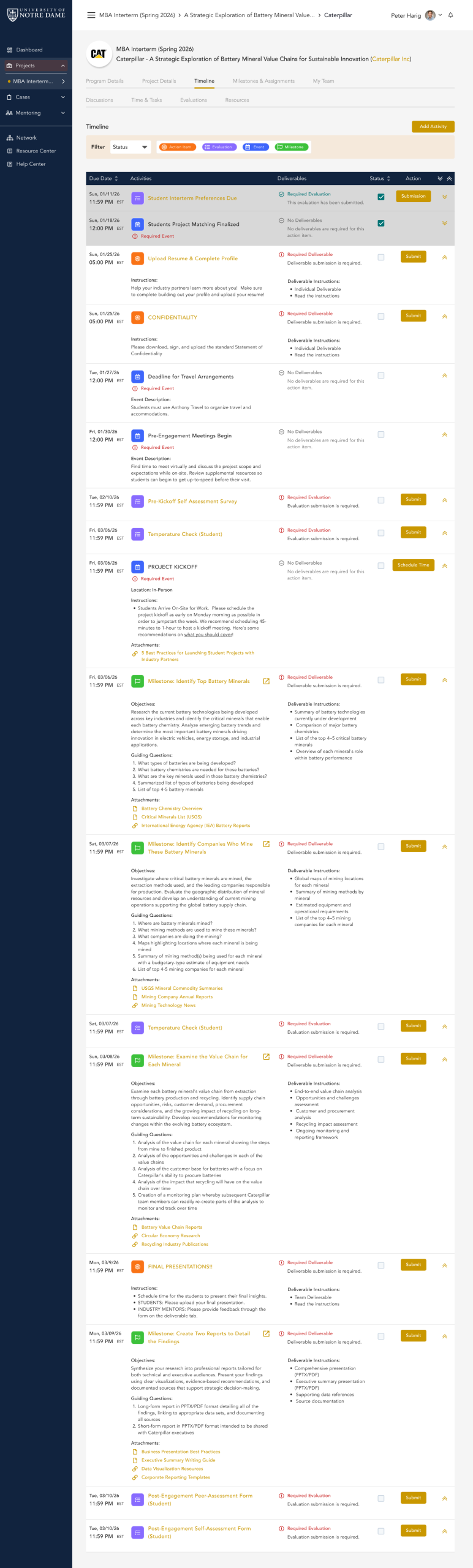
Never Miss a Milestone
Track key milestones, deadlines, submissions, kickoff meetings, check-ins, and final deliverables on one shared timeline your whole team can see.
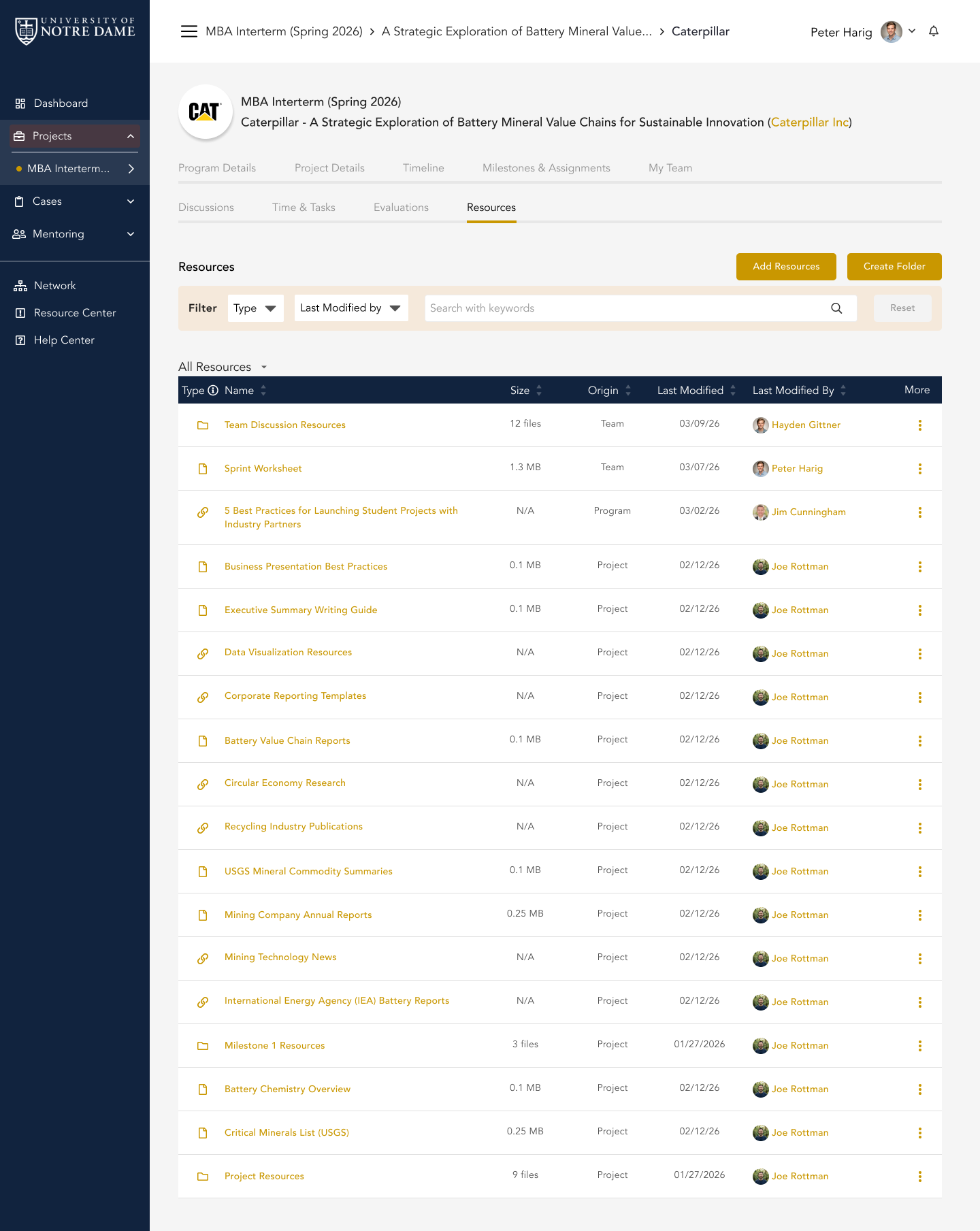
Everything Your Team Needs, in One Place
Access templates, partner materials, project files, and shared resources in one organized library instead of digging through email threads.
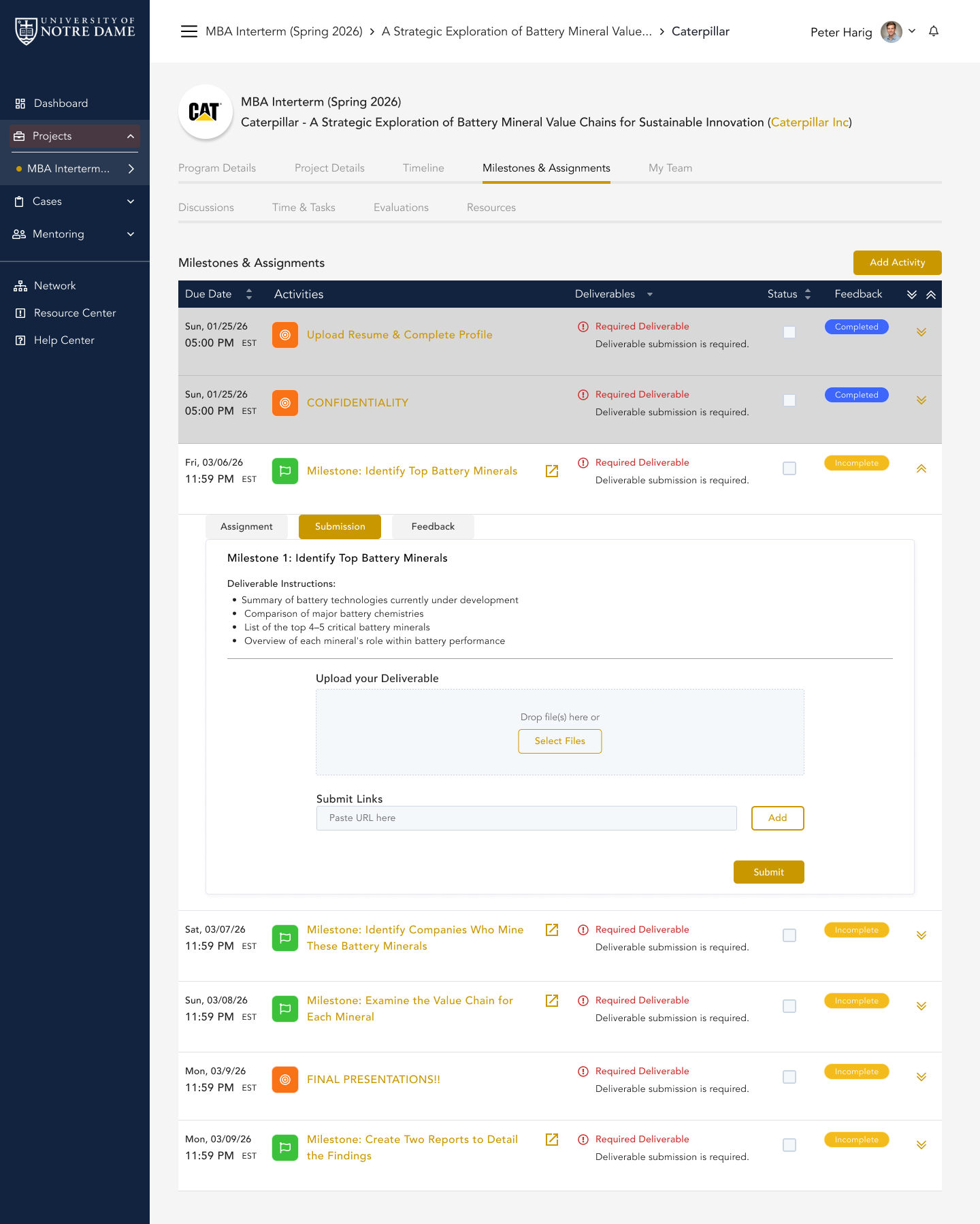
From Assignment to Feedback, One Structured Flow
Submit project materials through a structured space. See what is due, submit your team’s work, and receive feedback from your instructor and partner, all in the same place instead of scattered email threads.
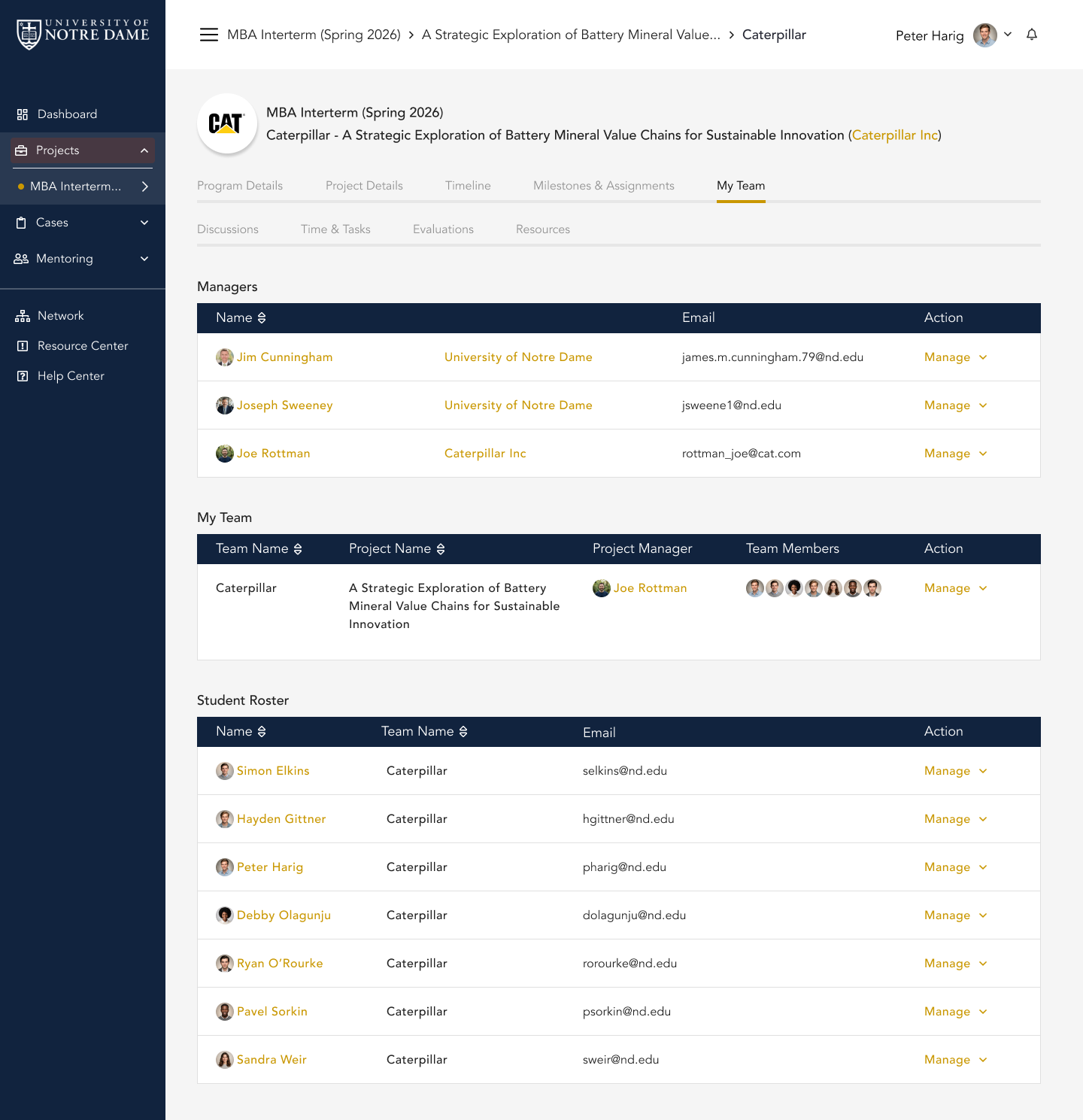
Know Your Team, Stay Aligned
See who is on your team, keep responsibilities visible, and use CapSource as the shared hub so everyone stays on the same page from kickoff to final presentation.
Keep Every Conversation Organized and Visible
Use discussion boards and threaded conversations to ask questions, share updates, and keep decisions documented where your instructor, partner, and teammates can see them.

Discussion boards for your project
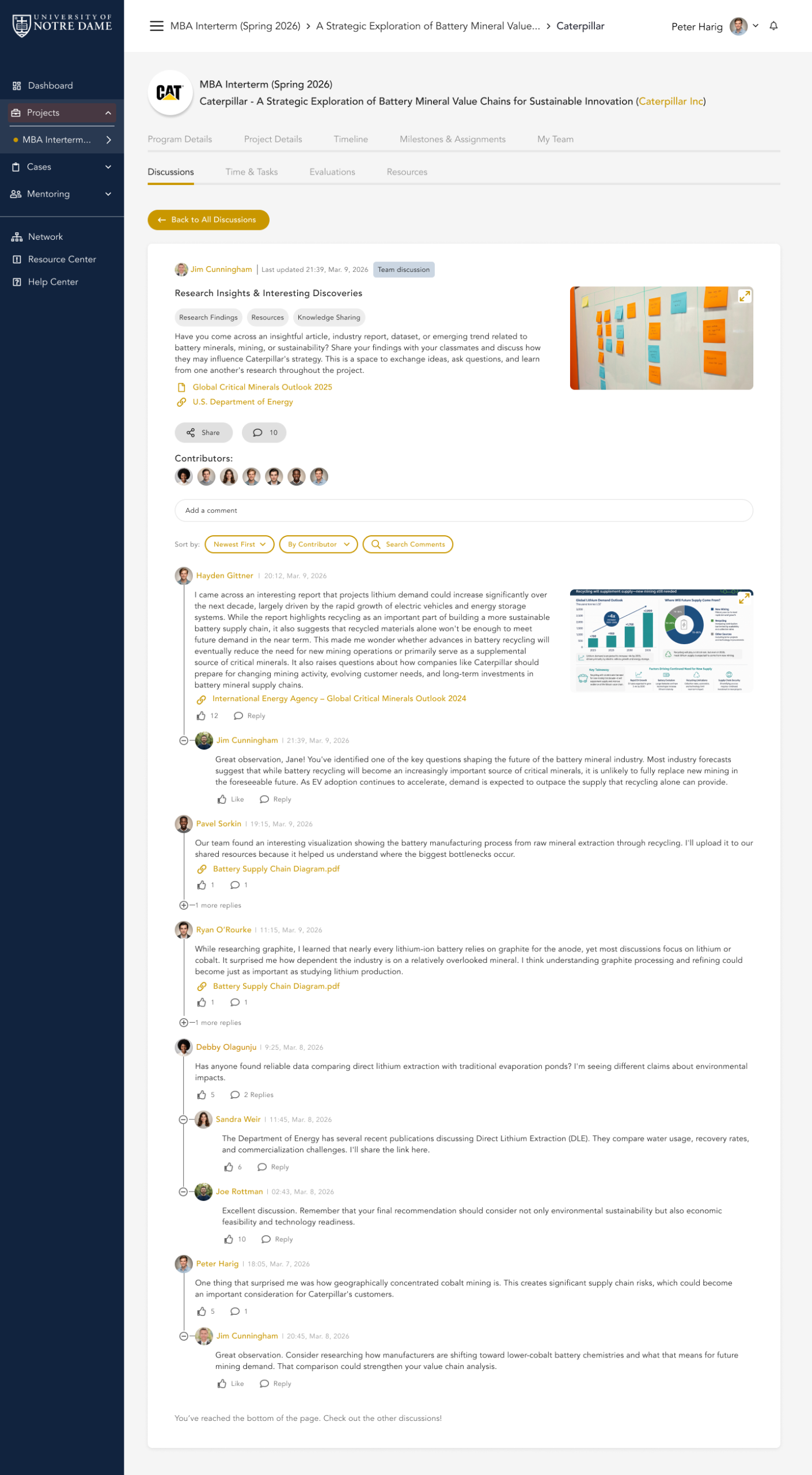
Threaded conversations with comments
Share Progress So You Get Support Early
Complete check-ins and evaluations so your instructor and partner can see what is going well and where your team needs support, through quick rating scales, short answers, and multiple choice questions.
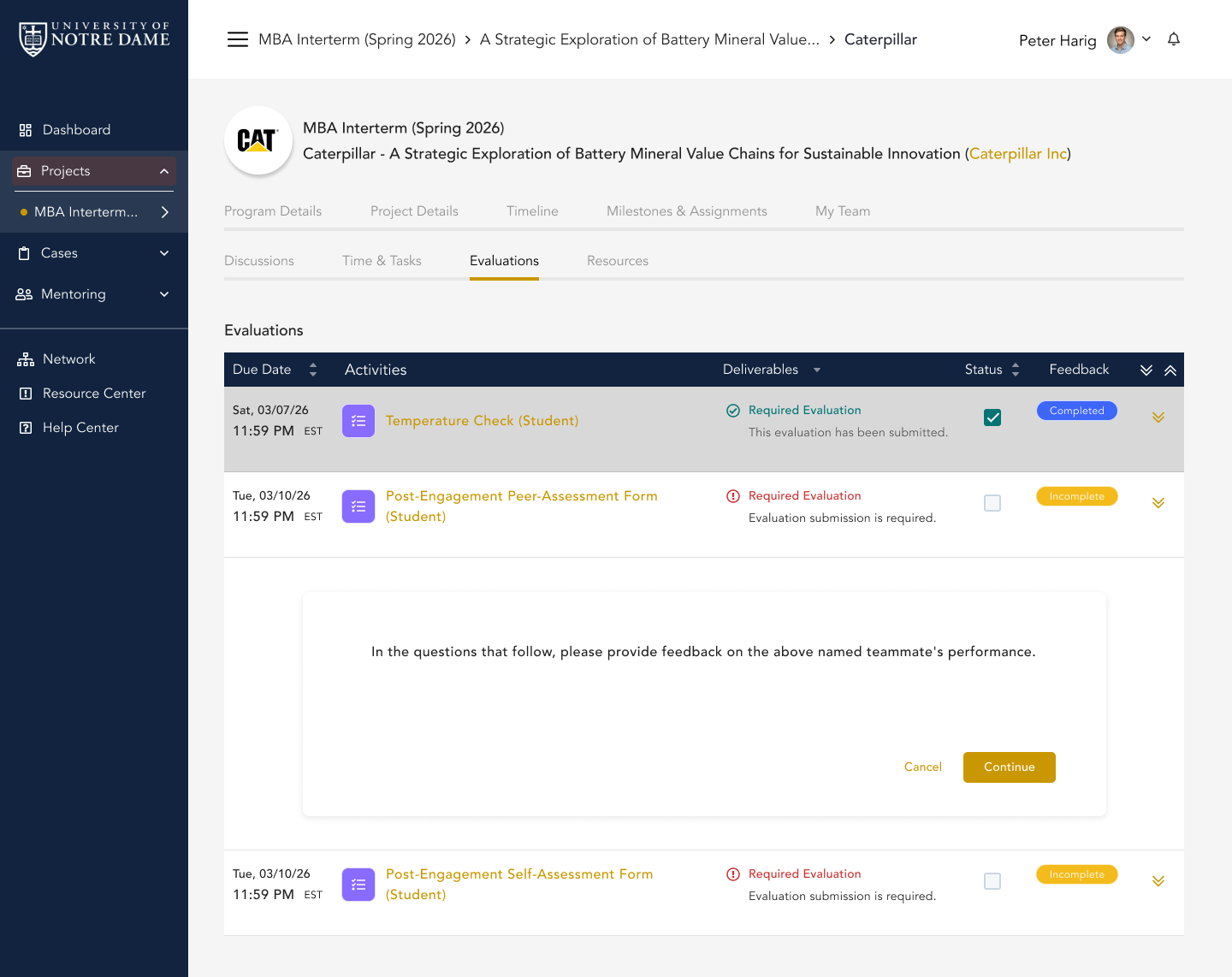
Evaluation overview
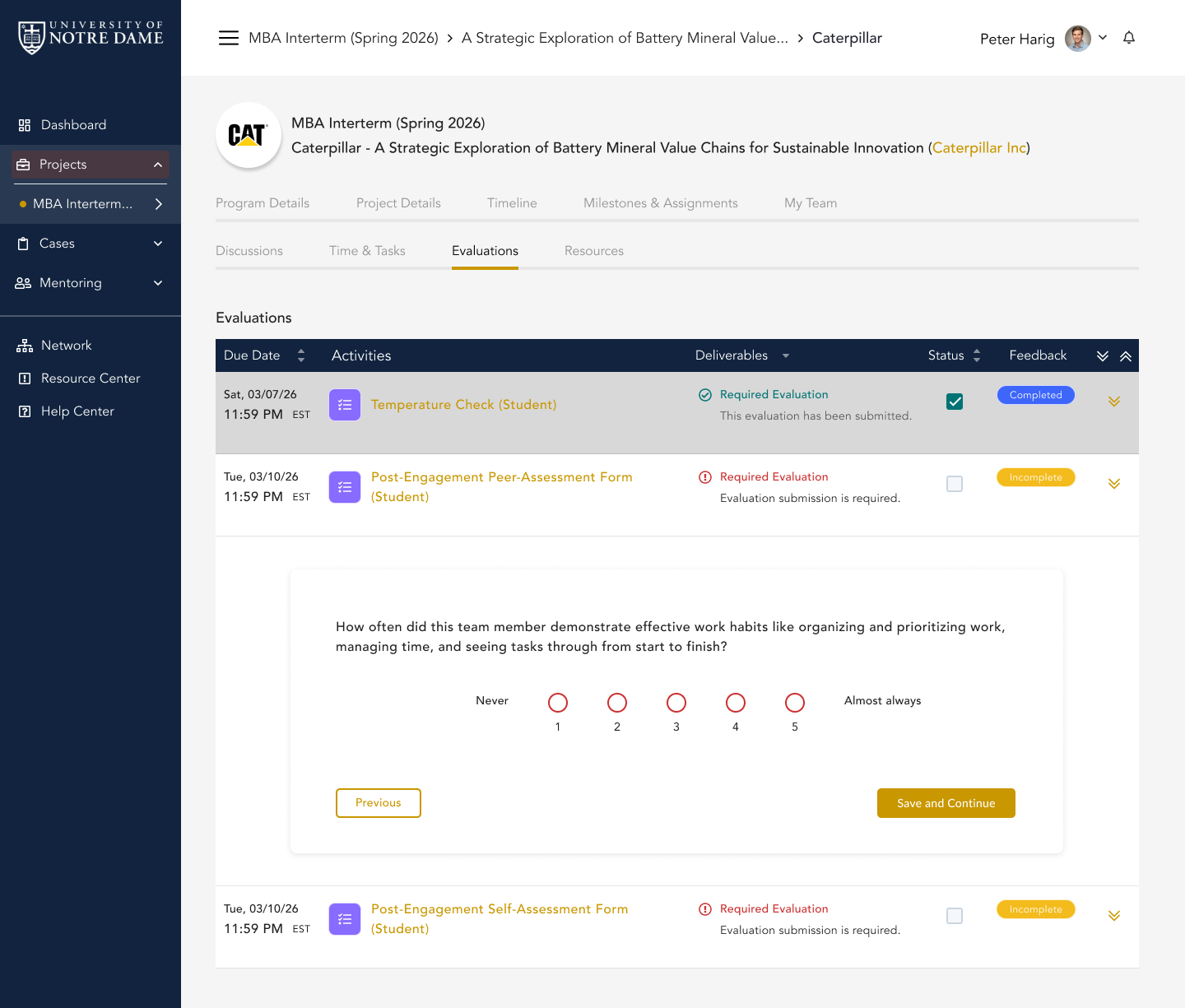
Rating scale questions
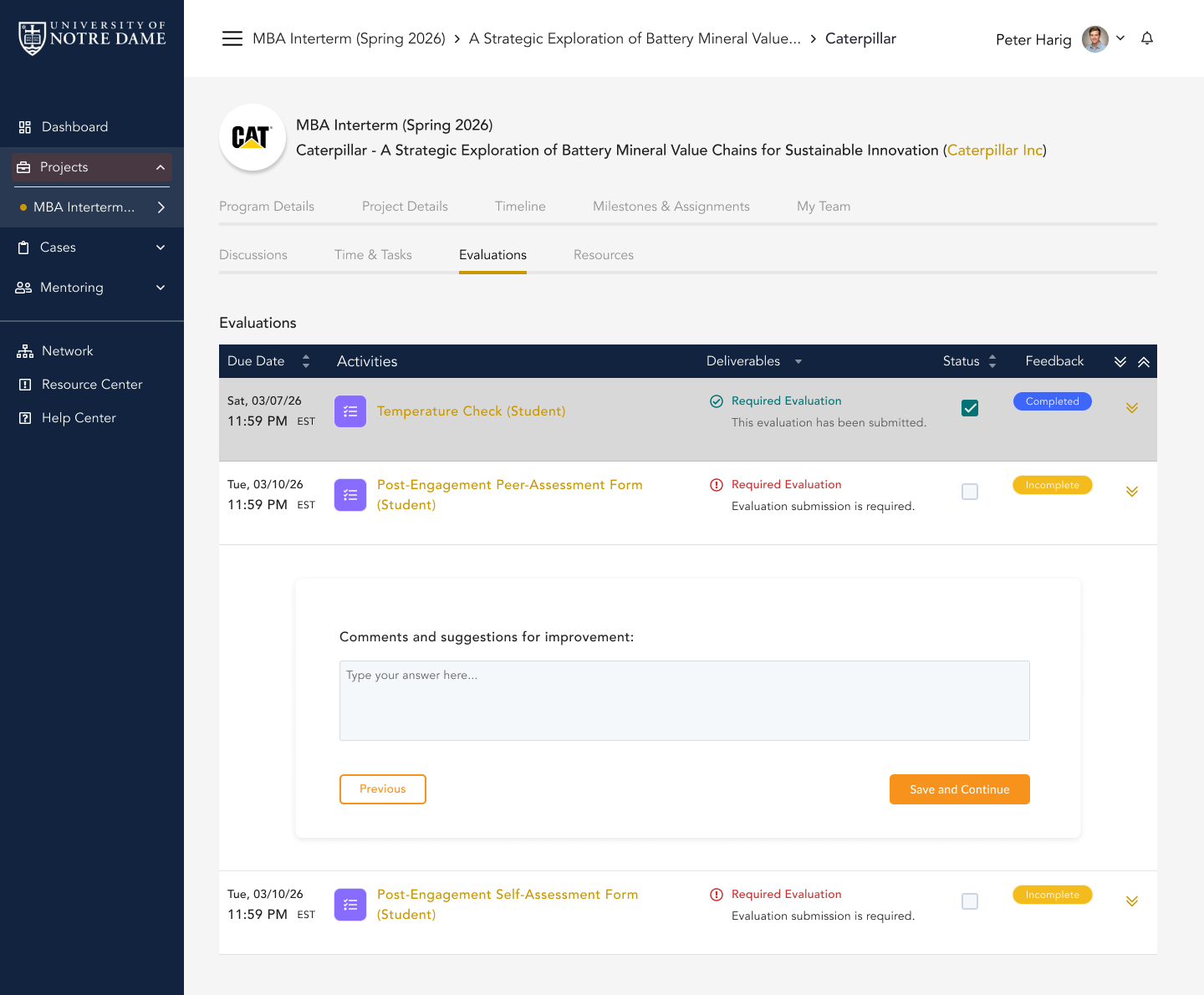
Short answer reflections
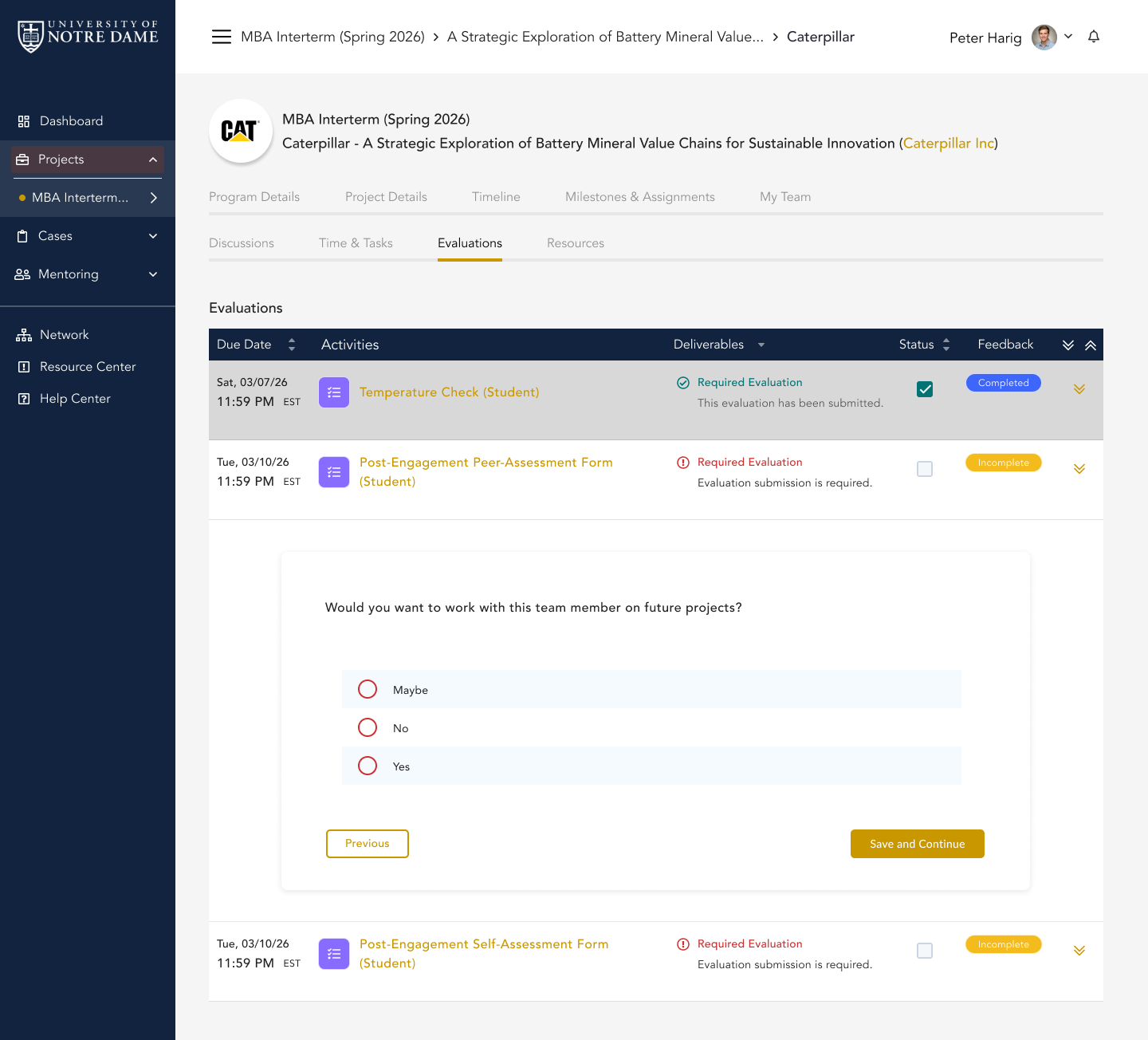
Multiple choice questions
Student Checklist
How to Make the Most of the Platform
Use CapSource as your shared project hub. Stay organized, review expectations early, submit polished work, and use the experience as something you can carry into your resume, LinkedIn profile, and interviews.
Read the full project description before kickoff
Understand the partner, the challenge, the goals, and what success could look like.
Start here 2Review all timeline items and deadlines
Your instructor may use CapSource to organize milestones, submissions, and check-ins.
Review project tools 3Use the resource center
Download templates, partner documents, background materials, and required forms.
See resources 4Keep your team's work organized
Use the platform as the shared hub so everyone can stay aligned.
Review collaboration tools 5Complete temperature checks seriously
These help surface issues early and give your instructor better visibility.
Review check-ins 6Submit polished deliverables
Treat every partner-facing submission like professional work product.
Review submissions 7Capture the experience for your resume
Track what you worked on, tools used, deliverables created, outcomes produced, and professional skills demonstrated.
See resume examplesCareer Value
Your Project Should Live Beyond the Semester
When the course ends, your project experience should not disappear. You should be able to explain what you worked on, what role you played, what skills you practiced, what deliverables you created, and what professional relationships you built.
Resume Experience
Add your project as a hands-on consulting, technology, research, cybersecurity, analytics, or project management experience.
Interview Stories
Use the project to answer questions about teamwork, ambiguity, communication, deadlines, and stakeholder management.
LinkedIn and Portfolio Value
Showcase your project experience professionally, especially if your instructor and partner allow public sharing.
References and Relationships
Strong engagement can lead to professional references, networking, mentorship, internships, or job conversations.
Resume and Interview Value
How to Talk About Your Project
Copy one of these examples into your resume or LinkedIn profile, then customize it based on your role, deliverables, tools, and results.
Student Consultant, CapSource Industry Project
Collaborated with a team of students to support a real-world organizational challenge for an industry partner. Conducted research, analyzed stakeholder needs, developed recommendations, and contributed to final deliverables presented to faculty and partner representatives.
Project Management Student Consultant
Supported the planning and execution of a semester-long client project, including scope definition, stakeholder communication, status reporting, deliverable development, and final presentation of recommendations.
Technology Project Team Member
Worked with an external partner to evaluate business needs, organize project requirements, develop solution recommendations, and communicate progress through structured project milestones.
Professionalism
How to Stand Out During the Project
Your partner is not expecting you to know everything. You are expected to be prepared, curious, organized, responsive, and professional.
Do This
- Be prepared for meetings.
- Ask thoughtful questions.
- Follow up quickly.
- Document decisions.
- Submit polished work.
- Communicate blockers early.
- Treat the project like a professional opportunity.
Avoid This
- Waiting until the last minute.
- Sending unclear emails.
- Missing meetings without notice.
- Sharing messy drafts with the partner.
- Assuming people know what your team is doing.
- Treating the project like a simulation.
Student FAQ
Common Questions
These answers clarify what CapSource is, how it supports your project, and how to use the experience professionally.
Is CapSource the assignment?
No. Your project is the assignment. CapSource helps organize the project experience, including timelines, resources, partner information, check-ins, and deliverables.
Do I need to use CapSource if my professor already gave instructions?
Yes. Your instructor may use CapSource to organize key project information, deadlines, resources, submissions, and updates.
What should I do first?
Log in, review your project description, check your timeline, and confirm what your team needs to complete before kickoff.
Can I put this project on my resume?
Yes. In most cases, you can describe the experience, your role, the skills you practiced, and the deliverables you helped create. Be careful about sharing confidential partner information publicly.
Who should I contact if something looks wrong?
Start with your instructor for course or project questions. Use CapSource support for login, access, or platform issues.
What if my team gets stuck?
Document the issue, communicate early, use check-ins seriously, and ask your instructor for guidance before the problem becomes urgent.
Helpful Resources
Resources to Help You Succeed
Use these resources to understand the experience, work professionally with partners, and turn your project into career value.
Student Guide to Experiential Learning
Learn why real-world projects matter and how to approach them successfully.
How to Work With an Industry Partner
Review communication expectations, meeting etiquette, and professionalism tips.
How to Add Projects to Your Resume
Learn how to describe your work, skills, deliverables, and outcomes.
AI Use and Privacy
Understand CapSource’s approach to AI, privacy, and responsible technology use.
Your Project Starts Here
Use the Platform. Engage Professionally. Build Something You Can Carry Forward.
This experience is your opportunity to do more than complete an assignment. Use CapSource to understand your project, organize your team, communicate professionally, submit stronger deliverables, and capture the career value of your work.